The best streaming encoders for home studios turn camera or computer video into a dependable live feed without requiring a full broadcast rack. The right model can simplify streaming to YouTube, Facebook, IPTV systems, or custom platforms while preserving smooth, professional-looking video.
This roundup includes compact HDMI and DisplayPort encoders, 4K and 1080p options, multi-protocol models, and more advanced production systems with recording, switching, NDI, or SDI support. Use the guide below to match features to your studio, network, and streaming goals.
Best 10 Streaming Encoders for Home Studios Picks for 2026
Flexible Multi-Platform Pick

- 4K input with H.264/H.265 encoding
- Outputs up to four protocol-based streams
- Adds logos, captions, and timestamps
Best For: HDMI creators seeking broad protocol and customization support
Polished All-in-One Choice
Magewell Ultra Encode HDMI Plus

- 4K HDMI encoding with loop-through
- Streams and records simultaneously
- Includes NDI|HX, PoE, Wi-Fi, and overlays
Best For: HDMI studios needing monitoring, recording, and network flexibility
High-Frame-Rate Network Option
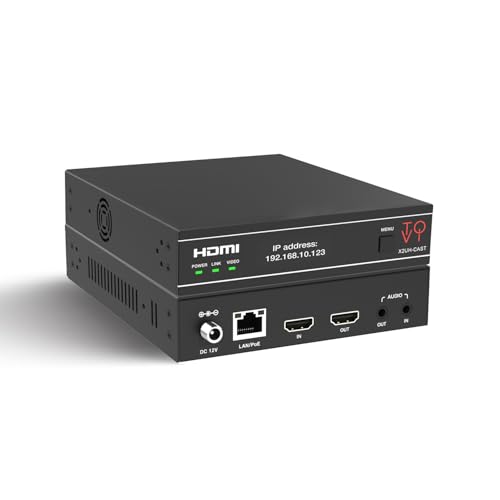
- Supports 4K60 H.264/H.265 encoding
- Embeds analog audio from a mixer
- Provides triple-stream output and PoE
Best For: Advanced studios needing 4K60 and continuous AV-over-IP operation
Best for Hybrid Camera Rigs

- Accepts both HDMI and SDI inputs
- Mixes sources in PiP or side-by-side layouts
- Streams to up to six destinations
Best For: Hybrid studios combining HDMI and SDI sources
Best Budget 4K Pick
Compact DisplayPort Streaming Encoder

- 4K30 input and output
- Four simultaneous protocol-based streams
- Built-in image tools and OSD overlays
Best For: DisplayPort-based home studios needing flexible multi-stream output
Best Portable NDI Pick

- 4K60 HDMI with zero-latency loop-out
- NDI|HX3/HX2 encoding and decoding
- Standalone RTMP, SRT, and RTSP streaming
Best For: Portable HDMI and NDI production with PTZ integration
Best Professional SDI Pick
Blackmagic Streaming Encoder 4K
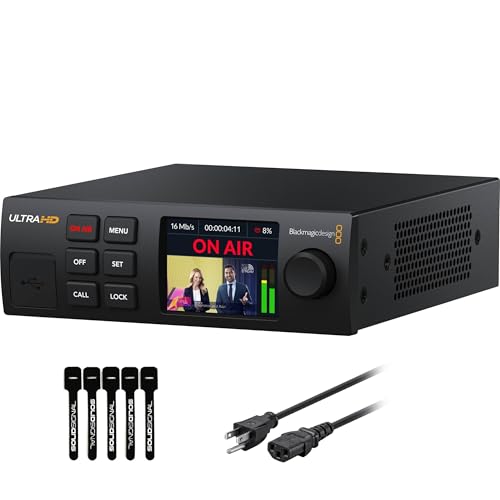
- 4K60 H.264/H.265 streaming
- 12G-SDI input with standards conversion
- Ethernet and mobile auto-failover
Best For: SDI-based home studios needing broadcast-style reliability
Best Multi-Protocol Flexibility

- 1080p60 H.265/H.264 encoding
- Up to four protocol outputs
- Overlay and audio-input options
Best For: Multi-platform streaming and IP integration
Best All-in-One Production Hub

- Switches, encodes, records, and streams
- Two HDMI, two USB, and IP sources
- Touchscreen scene and monitor control
Best For: Multi-source live production and mobile workflows
Best Compact Browser-Managed Encoder

- 1080p60 H.265/H.264 hardware encoding
- Browser setup with no PC software
- Compact single-HDMI design
Best For: Simple one-source studio streaming
Flexible Multi-Platform Pick – URayCoder 4K HDMI Encoder
For home studios needing adaptable streaming encoders for home studios, the URayCoder UHE265-1L-4K combines 4K input support with a broad selection of network protocols. It can send up to four streams using different protocols, making it useful when you want to reach several platforms or destinations from one HDMI source.
Best For: Creators who want flexible protocol support, branding overlays, and multi-platform streaming from an HDMI device.
Pros:
- Supports 4K video at up to 30 fps and up to 120 fps at 2K or lower resolutions.
- Works with RTMP(S), RTSP, SRT, HLS, UDP, WebRTC, and other listed protocols.
- Can add logos, captions, timestamps, and adjustable video settings.
- Includes HDMI and line-in audio options plus lifetime warranty and technical support.
Cons:
- Designed around HDMI input, so it is not a direct SDI solution.
- Its extensive customization and protocol options may be more than a basic setup requires.
This is a feature-rich choice for a home studio that expects to experiment with platforms, overlays, and delivery methods. Its 4K frame-rate limit is 30 fps, so users prioritizing 4K60 should consider another option.
Polished All-in-One Choice – Magewell Ultra Encode HDMI Plus
The Magewell Ultra Encode HDMI Plus is a strong option among streaming encoders for home studios when you want streaming, recording, and local monitoring in one compact unit. Its HDMI loop-through, onboard storage, and professional network features suit creators building a dependable production workflow.
Best For: HDMI-based studios that need simultaneous streaming and recording with loop-through monitoring and NDI|HX support.
Pros:
- Encodes HDMI video up to 4096×2160p30 and provides HDMI loop-through.
- Supports RTMP, RTMPS, SRT, NDI|HX, HLS, and TS over UDP/RTP.
- Can stream and record simultaneously to internal 128 GB storage, USB, or network locations.
- Offers Ethernet with PoE, Wi-Fi, web control, API access, and overlays.
Cons:
- 4K encoding is specified up to 30 fps.
- Its production-oriented feature set may be unnecessary for simple single-platform streaming.
Choose this model if recording an archive while broadcasting is important. The loop-through output is also convenient for monitoring without interrupting the HDMI signal, while NDI|HX expands its usefulness in networked workflows.
High-Frame-Rate Network Option – ToVi X2 4K Streamer
The ToVi X2 is aimed at more structured AV setups, but its 4K60 capability makes it relevant for home studios comparing streaming encoders for home studios. It combines H.264/H.265 encoding, HDMI loop-out, analog audio embedding, and triple-stream output for creators who need flexible distribution.
Best For: Advanced studios that need 4K60, external mixer audio, multiple simultaneous outputs, and long-running network operation.
Pros:
- Supports 4K at 60 Hz with H.264/H.265 encoding and up to 18 Gbps video bandwidth.
- Provides HDMI loop-out and analog audio embedding or extraction.
- Offers simultaneous 4K, 1080p, and 720p stream outputs.
- Includes PoE support, web/API control, multicast options, and protection features for continuous operation.
Cons:
- Its rack-mountable, AV-over-IP-oriented design may be excessive for a simple desk setup.
- The listed 720p JPEG stream is limited to 5 fps.
This is the most installation-focused option in the group. It makes particular sense when 4K60, mixer-fed audio, PoE, or 24/7 operation matters more than a minimal plug-and-stream workflow.
Best for Hybrid Camera Rigs – Magewell Ultra Encode AIO
The Magewell Ultra Encode AIO stands out among streaming encoders for home studios by accepting both HDMI and SDI sources. It can mix those inputs in picture-in-picture or side-by-side layouts, making it a practical choice for studios using a camera, switcher, or other professional video source.
Best For: Hybrid HDMI/SDI studios that want multi-source layouts, simultaneous recording, and distribution to several destinations.
Pros:
- Accepts HDMI up to 4096×2160p60 and SDI up to 4096×2160p30.
- Supports picture-in-picture and side-by-side mixing of HDMI and SDI inputs.
- Can stream to up to six destinations using RTMP(S), SRT, NDI|HX, HLS, and other protocols.
- Records to SD card, USB storage, or network drives while streaming.
Cons:
- SDI 4K input support is specified up to 30 fps.
- The rack-mountable form factor and broad feature set may be more than a basic home studio needs.
This is the most versatile pick for a studio transitioning toward broadcast-style connectivity. Its dual-input mixing, six-destination streaming, and recording options provide room to grow, though simpler HDMI-only setups may not need its additional hardware.
Best Budget 4K Pick – Compact DisplayPort Streaming Encoder
For home studios using a DisplayPort source, this compact UNISHEEN unit is one of the more flexible streaming encoders for home studios. It supports 4K30 video, H.264/H.265 encoding, and up to four simultaneous streams using different protocols.
Best For: Home studios that need multi-platform streaming from a DisplayPort or USB-C source.
Pros:
- Supports 4K input and output at up to 30 fps.
- Can output four streams simultaneously using protocols such as SRT, RTSP, RTMPS, and UDP.
- Includes de-interlacing, image enhancement, noise reduction, cropping, rotation, and custom OSD overlays.
Cons:
- Its 4K30 ceiling is lower than the 4K60 capability of more advanced options.
- Connectivity is centered on DisplayPort and USB-C rather than HDMI or SDI.
This encoder is a practical choice when your studio workflow benefits from multiple destinations and detailed image adjustments. It is less suitable for 4K60 production or SDI-based setups, but its compact design and protocol range make it versatile for many computer-based studios.
Best Portable NDI Pick – ZowieBox Pro 4K60 Encoder
The ZowieBox Pro is a strong fit for home studios that want both direct streaming and networked video production. This smartphone-sized encoder supports 4K60 HDMI, NDI|HX workflows, zero-latency loop-out, and standalone RTMP, RTMPS, SRT, and RTSP streaming.
Best For: Portable home studios using HDMI cameras, NDI systems, PTZ cameras, or PC-free streaming.
Pros:
- Handles up to 4K60 HDMI input and output with zero-latency loop-out.
- Supports NDI encoding and decoding with low 2–3 frame latency.
- Offers standalone RTMP, RTMPS, SRT, and RTSP streaming without a PC.
- Includes a touchscreen, tally light, PTZ control, and supported AI tracking features.
Cons:
- It does not support Full NDI or NDI|HB.
- Encoding and decoding cannot be performed simultaneously.
For creators building an NDI-enabled studio or moving between locations, the ZowieBox Pro combines useful monitoring, networking, and streaming functions in a compact enclosure. Its feature set is broad, though users should verify that their NDI format and workflow requirements match its supported standards.
Best Professional SDI Pick – Blackmagic Streaming Encoder 4K
Home studios built around broadcast cameras or SDI gear may prefer the Blackmagic Design Streaming Encoder 4K. It is a self-contained 4K60 encoder with 12G-SDI input, H.264/H.265 support, SRT and RTMP delivery, standards conversion, and wired or mobile connectivity.
Best For: Advanced home studios using SDI cameras and requiring reliable, broadcast-oriented streaming features.
Pros:
- Supports H.264 and H.265 streaming up to Ultra HD 2160p60.
- Accepts 12G-SDI input up to DCI 4K60 and includes SDI loop output.
- Provides Ethernet and USB-C-tethered 4G/5G connectivity with automatic failover.
- Includes monitor outputs, closed-caption support, timecode, REST API control, and USB webcam outputs.
Cons:
- Its SDI-centered design may be excessive for simple HDMI or webcam setups.
- It is larger and heavier than compact, consumer-oriented encoders.
This is the most production-focused option in the group, especially for studios that need SDI compatibility, redundant connectivity, and control-room features. Its capabilities are best justified when your workflow already uses professional video equipment rather than basic computer streaming.
Best Multi-Protocol Flexibility – URayCoder HDMI to IP Encoder
For home studios that need flexible streaming encoders for home studios, the URayCoder HDMI-to-IP encoder combines 1080p60 hardware encoding with broad protocol support. It accepts HDMI video and audio or separate line-in audio, making it suitable for routing a camera, console, or other HDMI source into network workflows.
Best For: Home studios streaming to multiple platforms or integrating HDMI sources with RTMP, RTMPS, RTSP, SRT, HLS, and other IP workflows.
Pros:
- Supports H.265/H.264 encoding at up to 1920×1080 and 60fps.
- Can output up to four streams using different supported protocols.
- Offers overlays, cropping, rotation, mirroring, adjustable bitrate, and HDMI or line-in audio.
- Includes a browser-style management workflow and lifetime free warranty and technical support according to the supplied listing.
Cons:
- Designed around a single HDMI input rather than multi-camera switching.
- Its broad configuration options may require more networking knowledge than a basic plug-and-play streamer.
This is a strong choice when protocol flexibility and simultaneous distribution matter more than an integrated production interface. It is less suited to creators who want built-in scene switching or touchscreen control.
Best All-in-One Production Hub – Magewell Director Mini
The Magewell Director Mini is a more complete option for home studios looking for streaming encoders for home studios with switching, recording, monitoring, and production controls in one device. Its touchscreen and multiple HDMI, USB, and IP-source options reduce the need for a separate computer during live production.
Best For: Creators producing multi-source broadcasts with scenes, graphics, overlays, recording, and simultaneous streaming.
Pros:
- Combines switching, hardware encoding, recording, monitoring, and streaming without requiring an external PC.
- Supports up to two HDMI inputs, two USB-A inputs, and multiple IP sources including SRT, RTMP, RTSP, and NDI HX.
- Built-in 5.44-inch AMOLED touchscreen supports scene control and monitoring.
- Records to SD cards or internal storage while streaming, with H.264/H.265 support up to 1080p60.
Cons:
- More expensive and feature-heavy than a basic single-input encoder.
- Cellular connectivity requires a USB modem, which is not included.
- Its 2.1-pound portable design and battery support may be unnecessary for a fixed desktop studio.
The Director Mini is the most production-oriented pick in this group. Choose it when you need live switching and recording as well as encoding; choose a simpler box if your workflow only requires sending one HDMI source to a platform.
Best Compact Browser-Managed Encoder – UNISHEEN BM1000 HDMI Encoder
The UNISHEEN BM1000 offers a compact, dedicated approach to streaming encoders for home studios. It uses hardware H.265/H.264 encoding at 1080p60 and browser-based setup, so you can configure streams without installing PC software or drivers.
Best For: Home studios that need a small, low-power encoder for one HDMI source and browser-based network streaming.
Pros:
- Supports H.265/H.264 hardware encoding at 1080p60.
- Works with SRT, RTMP/RTMPS, RTSP, HLS, WebRTC, UDP, HTTP, and additional IP protocols.
- Browser setup avoids dedicated software and driver requirements.
- Includes HDMI embedded audio, external 3.5mm audio, and OSD text, logo, and timestamp overlays.
Cons:
- Provides one HDMI port and is intended for a single-source workflow.
- Advanced configurations still require basic networking knowledge.
- Includes a one-year limited warranty, shorter than the lifetime support stated for the URayCoder listing.
With its palm-sized enclosure and browser-based management, the BM1000 is a practical fit for a straightforward studio encoder installation. It delivers useful protocol and overlay support without adding the switching and production complexity of the Magewell.
How We Picked the Best Streaming Encoders for Home Studios
We focused on the features that matter most in a home production environment: input compatibility, maximum resolution and frame rate, encoding formats, streaming protocols, network connectivity, recording capabilities, monitoring, and setup complexity. The selection spans affordable single-input HDMI hardware and higher-end units designed for multi-camera or hybrid workflows.
We also considered whether each encoder can grow with your setup. Support for H.265, SRT, RTMP, RTMPS, RTSP, HLS, NDI, or SDI may be valuable depending on whether you stream publicly, send video across a local network, connect to a production switcher, or integrate with professional video tools.
Quick Comparison
For straightforward camera-to-platform streaming, a compact HDMI encoder is usually the simplest choice. Models supporting 4K capture are a better fit if you want higher-resolution sources or plan to downscale at the destination. H.265 can reduce bandwidth compared with H.264, but verify that your streaming service and playback devices support it.
Look for loop-through HDMI when you need to send the source to a local monitor, and consider NDI or SDI when your studio already uses networked or professional broadcast equipment. Integrated recording, switching, and touchscreen controls can reduce the need for additional hardware, though they typically increase cost and setup complexity.
Key Buying Factors for Streaming Encoders for Home Studios
Inputs and Video Quality
Start with the output from your camera, graphics computer, or switcher. HDMI is common for consumer and prosumer equipment, while SDI is more secure for longer cable runs. Check not only the advertised 4K support but also the supported frame rates, color formats, audio handling, and whether 4K is limited to input, pass-through, or streaming output.
Protocols and Platform Compatibility
RTMP or RTMPS is widely used by major platforms. SRT is useful when you need more resilient transmission over unpredictable networks, while RTSP, UDP, and HLS are common in local, IPTV, and monitoring workflows. Confirm the encoder supports your destination before buying.
Network and Reliability
Ethernet is generally preferable for fixed studio installations because it offers greater consistency than Wi-Fi. Check for Gigabit networking, PoE, redundant connectivity, status indicators, and automatic reconnect features. A reliable encoder is often more valuable than one with a longer feature list.
Recording and Production Features
If you want local backups, choose a model with recording and verify the storage method and file format. Multi-input switching, picture-in-picture, touchscreen controls, and NDI can streamline a more ambitious studio, but they may be unnecessary for a single-camera channel.
Who Should Buy Which Streaming Encoders for Home Studios?
Choose a basic 1080p HDMI encoder for one-camera streaming, webinars, teaching, or occasional live sessions. Pick a 4K HDMI model if you want more source flexibility, loop-through monitoring, or room to upgrade. Buyers with unstable connections should prioritize SRT, while IPTV and internal distribution users should focus on RTSP, UDP, HLS, and network management.
For multi-camera creators and small production teams, an all-in-one switcher, encoder, and recorder can simplify the entire workflow. Studios using professional cameras should favor SDI support, and teams built around network video should look for NDI compatibility. Before purchasing, confirm your camera output, platform requirements, available bandwidth, audio workflow, and whether you need recording or switching in the same device.